New Feature: Multiple fan opening with direct total value
In the “Open Multiple Fan” command, you can now enter the total opening value directly, without manual calculations.
New Feature: Pattern alteration through path rotation
A new command that allows you to modify the pattern by rotating the size grading path. Greater creative freedom with instant, visual results. (Feature available in Creafit)
New Feature: Flounce creation, automatic and parametric
A new command that generates a flounce by simply entering seam length, hem width, and height. Immediate piece generation with perfect proportions.
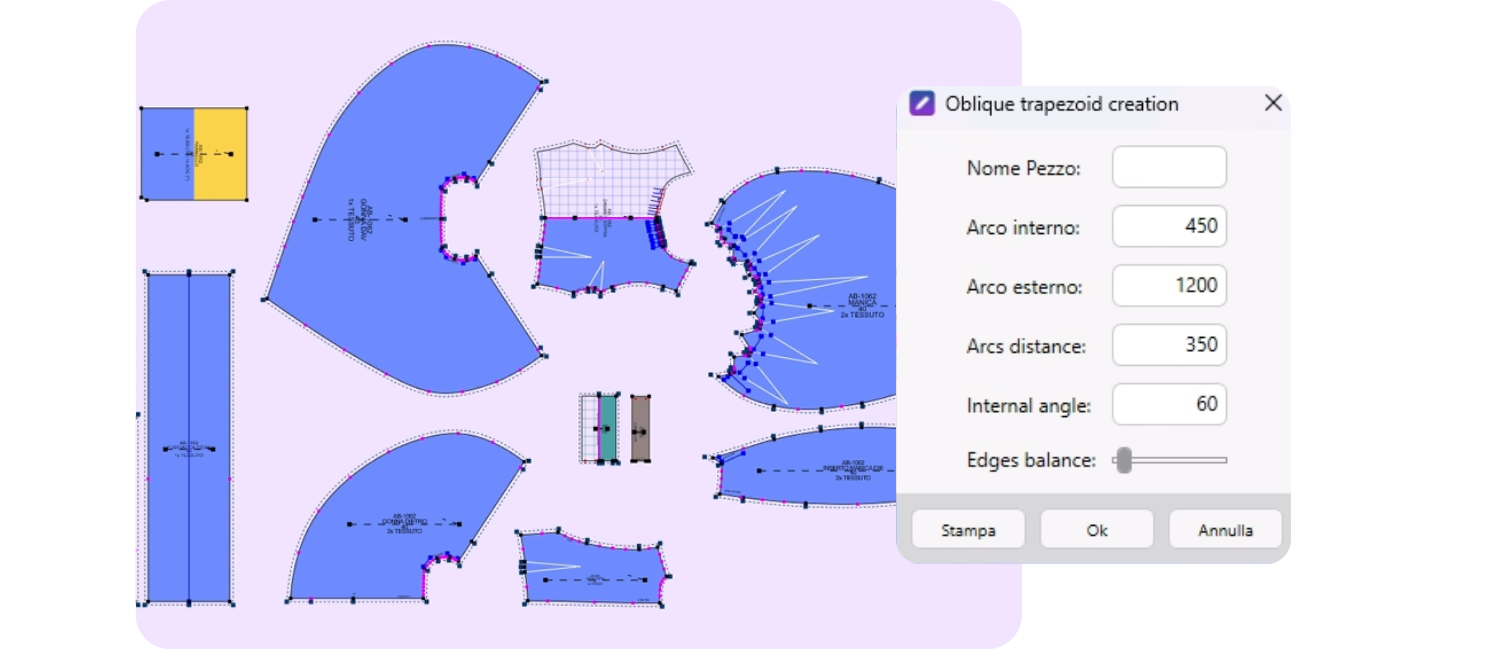
New Feature: Automatic and intelligent measurements
The system automatically recognizes the piece being measured and adapts the measurement logic without manual intervention.
New Feature: Size chart with SCROLL
If the table becomes very long, it now scrolls without overwhelming the screen.
New Feature: Uniform point distribution with size grading points preserved
The system now allows selecting a long path even if it contains size grading points: they remain fixed while distribution is calculated intelligently around them.
New Feature: CTRL with intelligent axis lock
When drawing a line or moving pieces/points, the CTRL key locks movement horizontally or vertically. Micro detail, macro precision.
New Feature: Custom menu
Right-click now shows an unlimited list of recently used commands (previously limited to 5). Fully configurable to maximize workflow efficiency.
New Feature: Fixed points for automatic size grading
You can now set specific fixed points before applying size grading
New Feature: Instant comparison with base size
Instant comparison between the current measurement and the base size.
New Feature: Breaks in the measurement table
Option to display breaks in the measurement scale, defining from which size the size grading changes.
New Feature: Multiple measurement tables in reports
Reports can now include more than one measurement table.
New Feature: Base size assigned to a new piece
You can configure the system to automatically apply base size name and color whenever a new model is created.
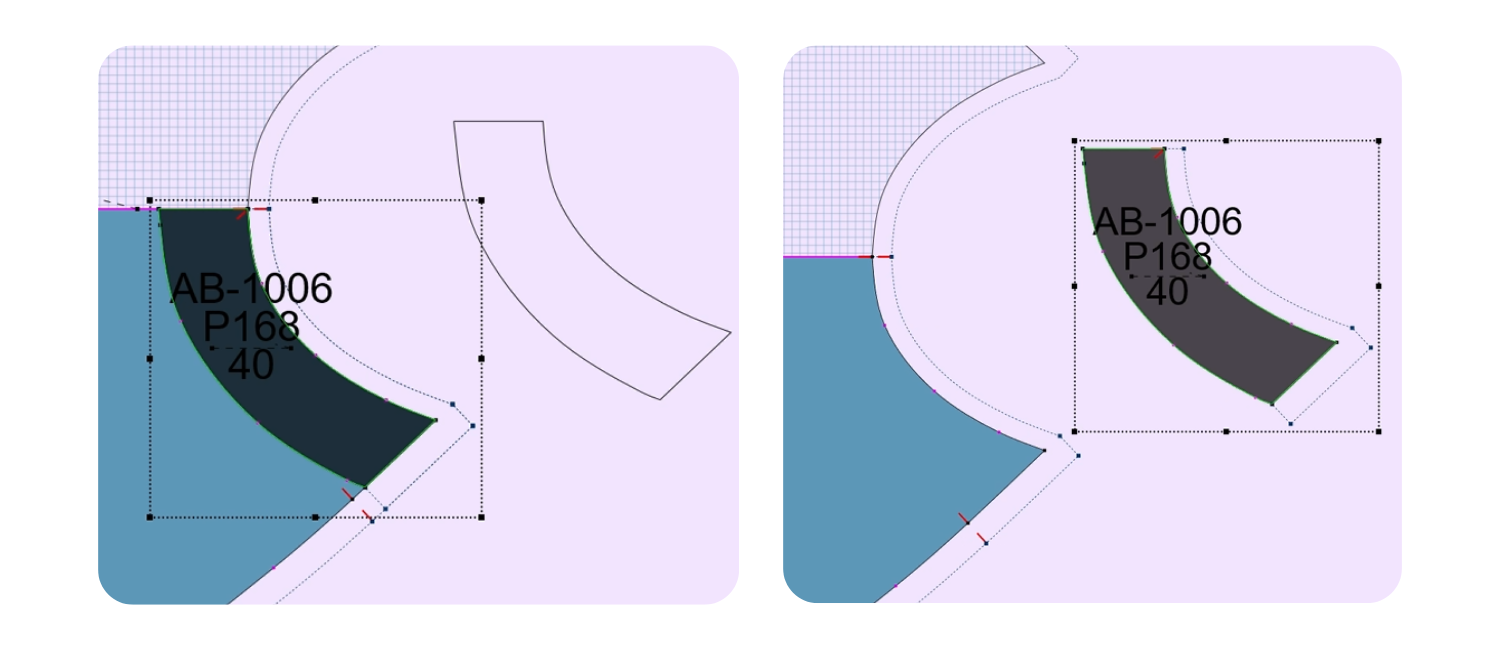
New Feature: Create piece from parallel line
A new tool that creates a piece from a parallel line, automatically copying the grainline from the original piece. No manual setup, guaranteed consistency, immediate productivity.
New Feature: Direct image loading from Survey Fabric
For Survey users, scanned images can now be accessed and downloaded directly from the database. No uploads or external steps.
New Feature: Piece properties and descriptions from lists
Piece descriptions are now selectable from preconfigured lists.
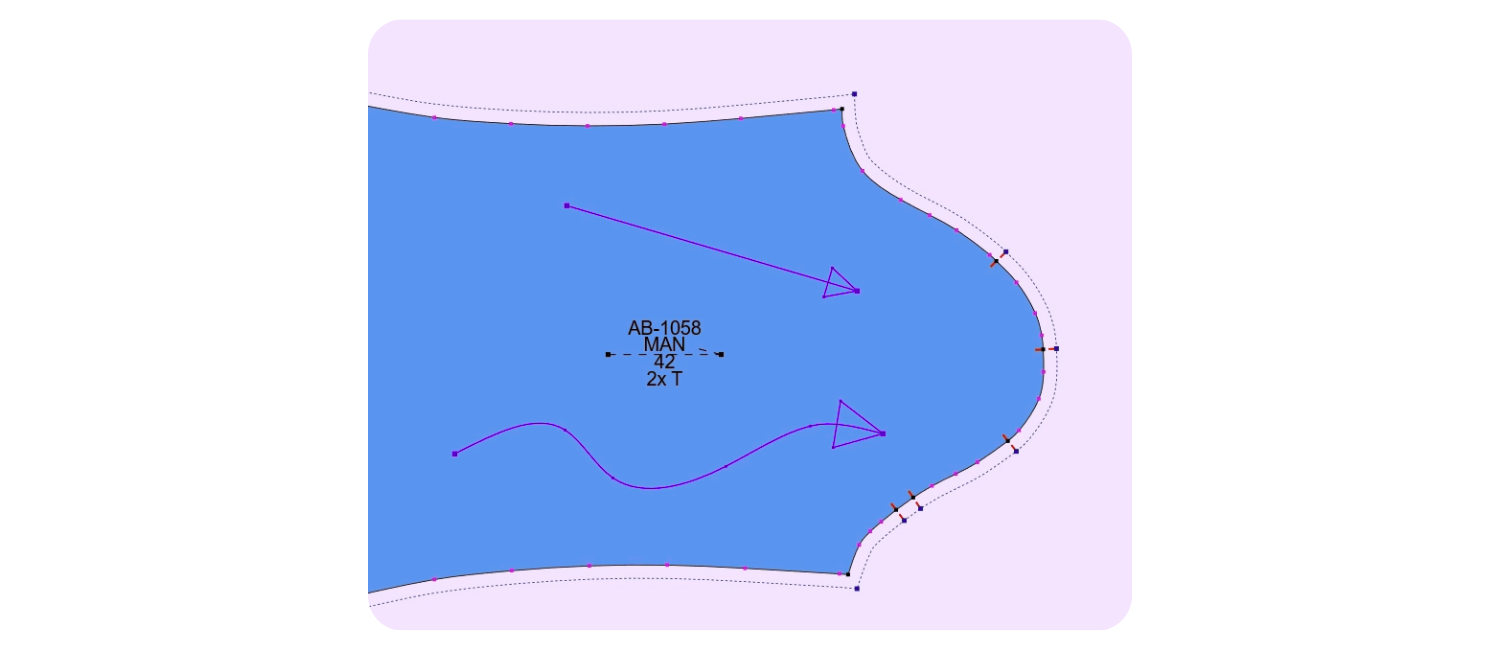
New Feature: Arrows
You can now draw curved arrows, define a margin/offset, and generate arrows positioned at a precise distance from an edge or line.
New Feature: Intelligent grading on multiple points
You can now center grading on multiple selected points at the same time. Previously, this had to be done piece by piece. Now: multi-selection, one command.
 New Feature: Precise dart management
The new “Open Dart from Dart” command allows setting an exact rotation value. No more all-or-nothing rotations — maximum precision and symmetry.
Import & Interoperability: smarter and more flexible than ever
- Import from MDL or EXP with variant selection — no more forced full import.
- Option to choose which variants or materials to import from proprietary files.
- DXF AST import further improved in compatibility and precision.
- PDF import optimized for smoother file handling.
- DXF Autocad import: hidden layers are now recognized.
- DXF ASTM import: automatic handling of invalid characters — the system filters or corrects unsupported file/layer names.
Cliché 15 – Automatic Nesting
The entire Cliché suite evolves to make piece nesting not only faster, but also more autonomous, editable in real time, and capable of preventing errors before they even occur.
New Feature: New Survey queue management window
A completely redesigned interface for creating nesting queues for users of the Survey module. The workflow is now immediate, intuitive, and much faster than before.
New Feature: Automatic nesting even without Survey
The system recognizes pieces directly from the drawing and starts nesting autonomously, even without any Survey-generated files. No mandatory steps, maximum operational freedom.
New Feature: Match points managed directly inside Cliché
No need to prepare them in IRIS anymore: match points can now be added directly in Cliché, with far greater immediacy and precision.
New Feature: “All pieces” preview with visible dependency lines
The new preview shows relationships between match points, allowing errors to be identified and corrected before nesting. Preventive control, zero wasted attempts.
New Feature: New algorithm for manual nesting
Manual nesting has been rewritten to be smarter, faster, and more optimized in positioning suggestions. Less manual intervention, higher efficiency.
New Feature: Massive thermal reduction for adhesive groups
A dedicated command now automatically reduces the size of all adhesive-designated groups. A mass operation completed in a single action.
New Feature: Improved rough-cut generation
Rough-cut creation is now more efficient, with better-optimized shapes and significantly reduced processing time.
New Feature: Faster, more accurate PDF import
PDF handling has been improved in speed, compatibility, and graphic interpretation.
New Feature: Enhanced Optiposition plug-in
The new release introduces a dashboard where the user can independently choose whether to place model parts in the selvedge center or in lateral zones.
New Feature: Nesting queue modification during cutting
It is now possible to edit the queue even while cutting is in progress. More control, zero operational interruptions.
New Feature: Fully redesigned Add window
An updated interface offering better clarity, readability, and usability. More modern, more functional, more intuitive.
Survey Fabric 15 -Fabric reading and Cutting IRIS
Speed, automation, and active intelligence in fabric reading.